Home / Guides / Cleaning business
Cleaning business
Cleaning business software: Jobber vs Housecall Pro vs ZenMaid
Cleaning business software handles scheduling, quotes, invoices, payments and reminders. You do not need it on day one, but once you have a handful of recurring clients it can save hours each week. Here is how three popular tools compare on what they cost and who they are for.
Disclosure: MakeClean may earn a commission if you sign up or buy through some links on this page, at no extra cost to you. Commissions never change the prices we quote, and we do not accept payment to rank anything. See our affiliate disclosure.
How we researched this: prices and features come from each company's own pricing page, opened November 16, 2026. We have not used these products ourselves, so this is a research-based comparison, not a hands-on test. Prices change, so check each page before you buy.
Do you need software yet?
If you have fewer than five regular clients, a calendar, a spreadsheet and a free invoice template are enough. Software starts to earn its keep when you have lost track of who is due, when late payments are costing you money, or when you have employees to schedule. A tool you do not use is worse than a spreadsheet you do.
The three tools at a glance
| Tool | Listed starting price | Built for | Notes from the company |
|---|---|---|---|
| Jobber | Core plan: $29/month billed annually (1 user), or $49/month with no commitment; extra users $29/month each | Home-service businesses in general, including cleaning | Quotes, invoices, online payments, online booking, and a website builder on the Core plan, per Jobber's pricing page. |
| Housecall Pro | Basic: $59/month billed annually, or $79/month; Essentials: $149/month billed annually, or $189/month | Home-service businesses | Per Housecall Pro's pricing page. Pricing depends on how many users you select, so check it at your team size. |
| ZenMaid | Starter $19/month; Pro $39/month; Pro Max $49/month (SMS charges not included) | Cleaning businesses specifically | Per ZenMaid's pricing page. Positioned for maid services, with scheduling and cleaner management. |
What to look for
- Recurring scheduling. Cleaning is mostly recurring work, so you want repeating visits, easy rescheduling and reminders.
- Quotes and invoices you can send from your phone. The faster you invoice, the faster you are paid.
- Payments. Card payments and card-on-file reduce chasing. Check the processing fees.
- Per-user pricing. If you hire, each cleaner may count as a user. Do the math for your crew size.
- Free trial. Use it with a few real clients before paying for a year.
- Exportable data. Make sure you can export your client list if you switch.
How to choose
- Solo or just starting: look at the lowest tiers of each and try the free trials. Pick the one whose app you actually enjoy using.
- A small team that is growing: compare per-user pricing at your crew size, and ask about extras you would need (text reminders, payments, route tools).
- Cleaning-only business: a cleaning-specific tool like ZenMaid may match your workflow more closely than a general home-service tool.
Free alternatives to start with
- A shared calendar for visits, with a recurring event for each regular client.
- A spreadsheet for clients, prices and payments.
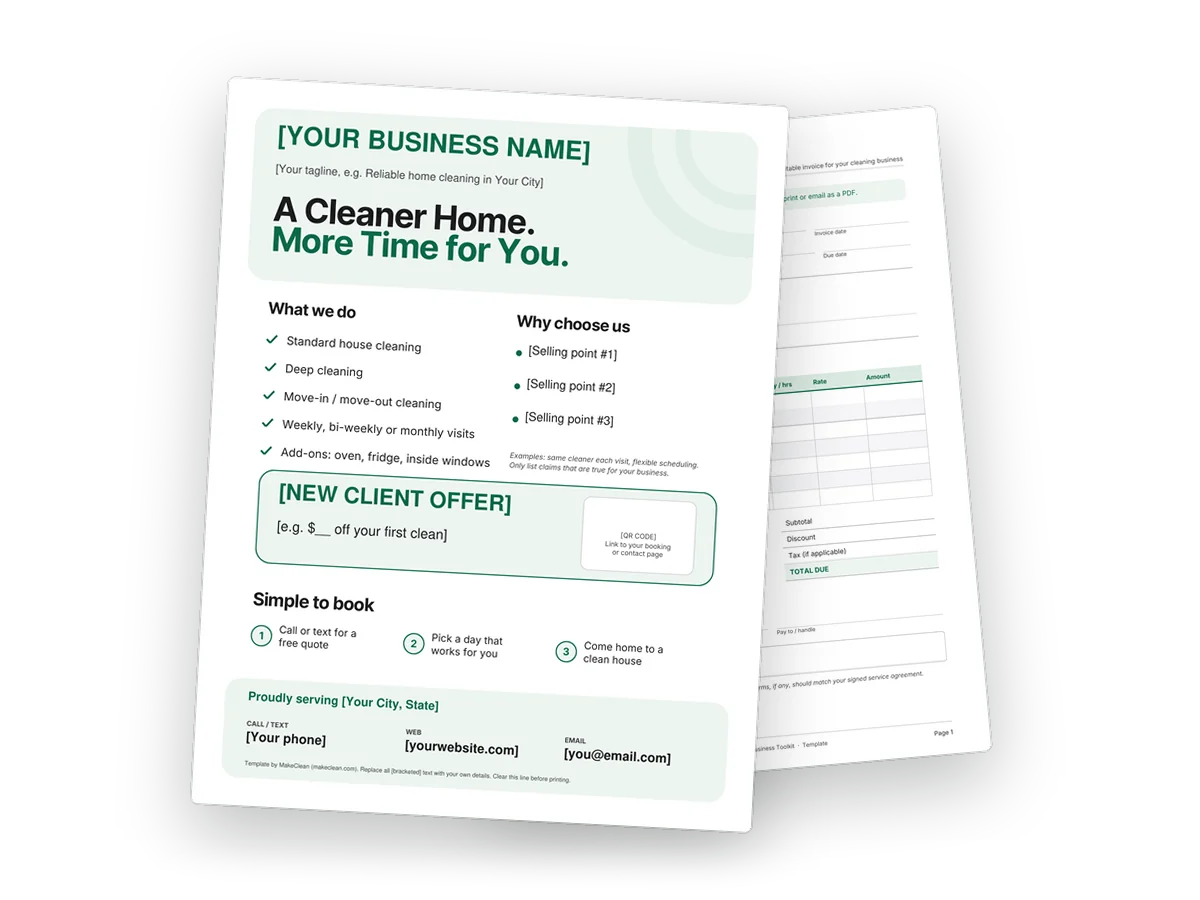
- Our free fillable invoice and estimate template. The Cleaning Business Toolkit ($12) adds an intake form, checklists, a flyer and a client agreement template, and works alongside any software you choose later.
Pricing the work correctly matters more than the tool. Start with how much to charge for house cleaning.
Questions people ask
What is the cheapest cleaning business software?
By the starting prices on their own pages, ZenMaid's Starter plan ($19/month) is the lowest of the three here and Jobber's Core plan is $29/month if you pay annually. Check each page for the current price and for what is included at each tier.
Do I need software to run a cleaning business?
No. Many solo cleaners use a calendar, a spreadsheet and an invoice template at the start. Software helps once scheduling, reminders and chasing payments take real time.
Is software worth it for one person?
It can be if you value saved admin time and faster payment. Use the free trials and compare the cost with the hours you save.
Skip the blank page: the Cleaning Business Toolkit
Nine ready-to-use templates for a new or growing cleaning business, as fillable PDFs and editable Word files:
- Get paid: invoice, estimate/quote, pricing sheet with a private rate worksheet
- Win clients: flyer, door hanger, new-client intake form
- Do the job right: residential and move-out checklists, client agreement template
Instant download, one-time purchase. Put your business name on them tonight and use them on your next quote.
instant download
Launch offer: use code LAUNCH30 at checkout for 30% off the toolkit, until November 30, 2026.
Buy the toolkit — $12 See what is inside
Secure checkout by Payhip (card or PayPal)
The agreement is a template, not legal advice. Have it reviewed for your state.
Free: pricing cheat sheet, estimate template and checklist for cleaners
Get the 2-page cleaning pricing cheat sheet (formula, worked example, per-square-foot ranges and what to ask before you quote), the service estimate / quote template and the residential cleaning checklist (fillable PDFs), plus occasional cleaning-business tips.